 Divine DevTools
Divine DevTools
Divine DevTools
Divine DevTools is a premium visual DOM inspector and AI side panel that bridges the gap between active page inspection and custom developer coding standards (SKILL.md).

A serverless, context-aware visual assistant right inside your Chrome browser.
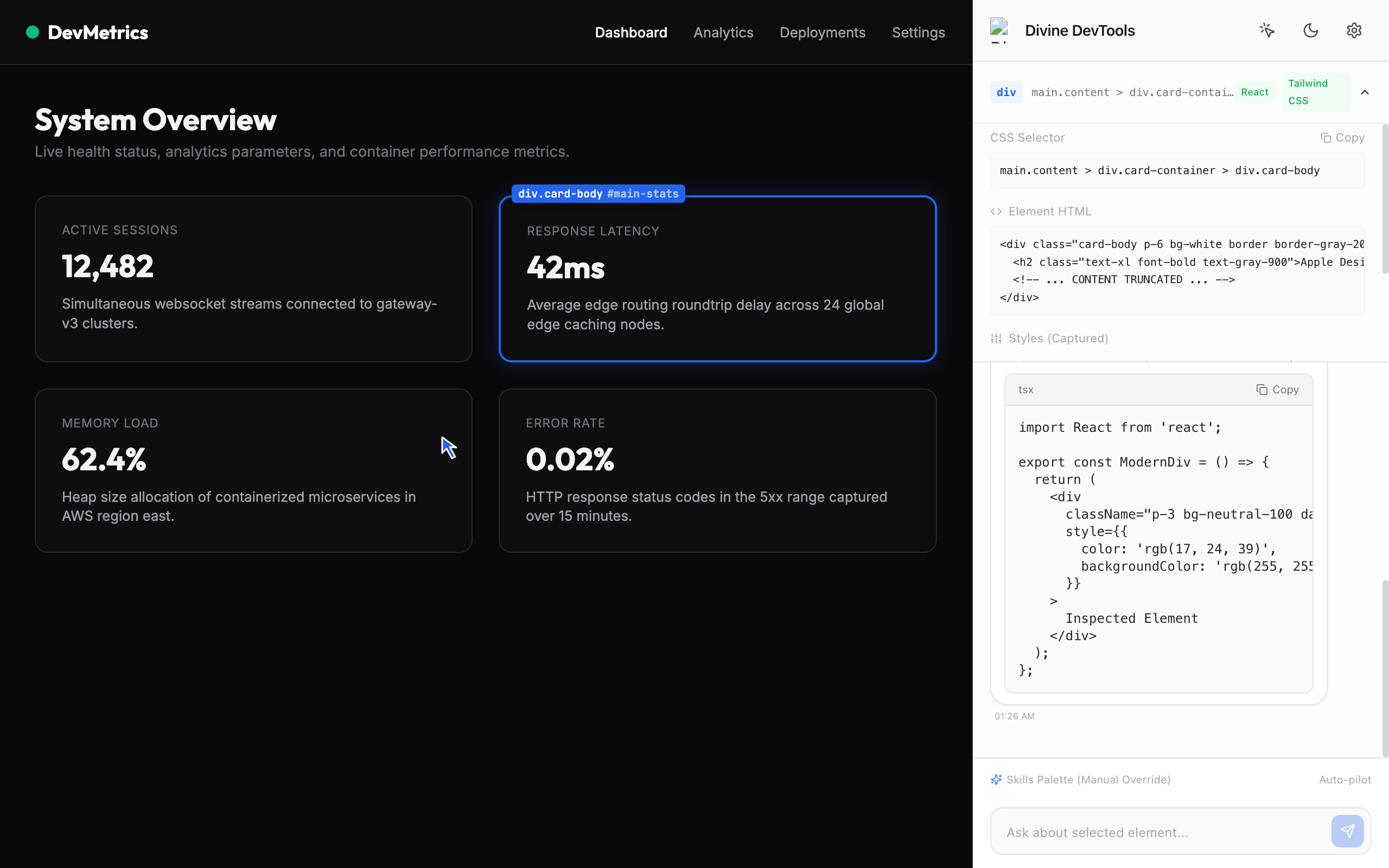
Point-and-click cursor highlighting runs inside an isolated Shadow DOM. Instantly lock and inspect layouts, computed CSS values, HTML content, and selectors.
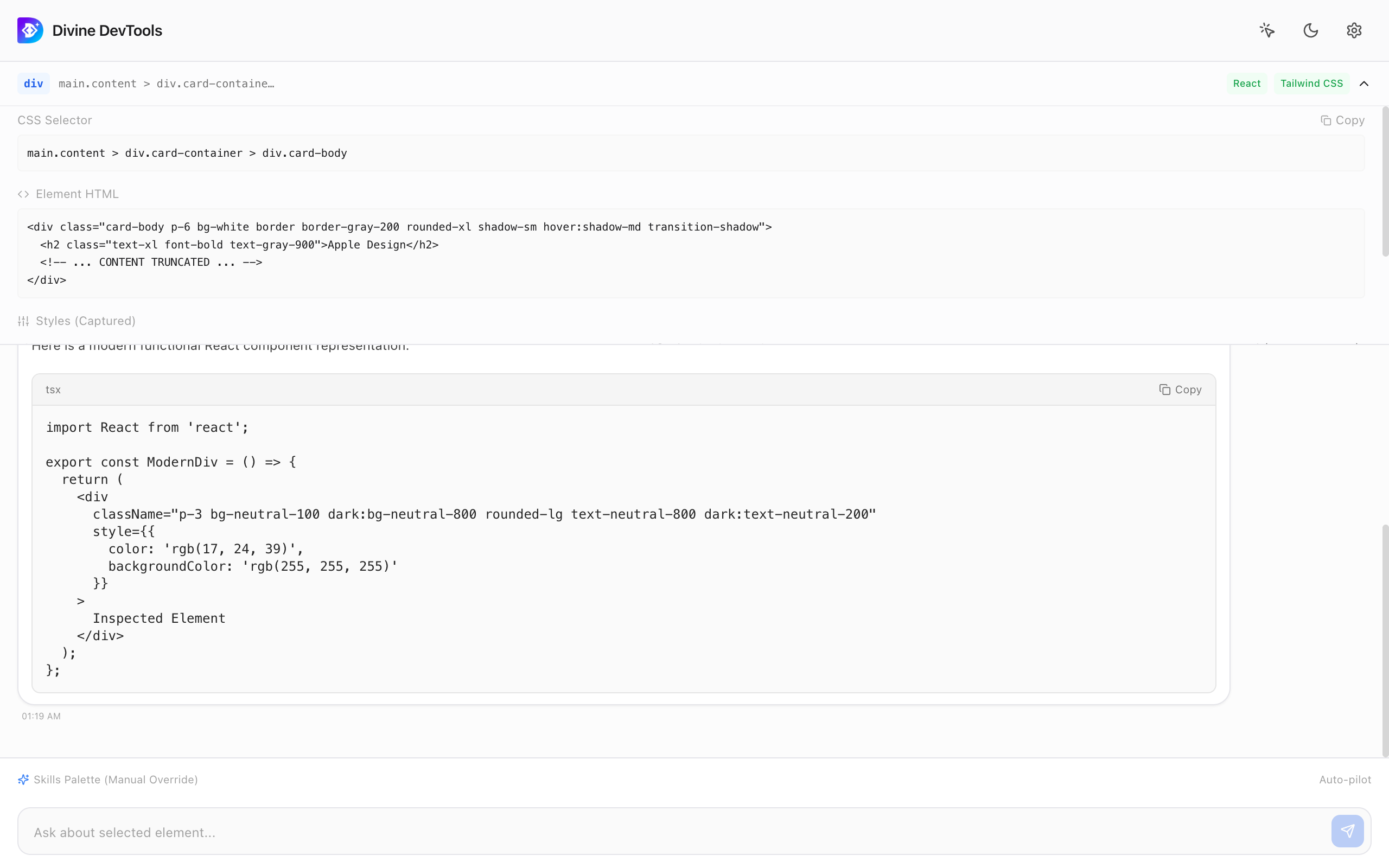
Ask questions, suggest refactoring modifications, perform web accessibility audits, or generate boilerplate styles without switching context.
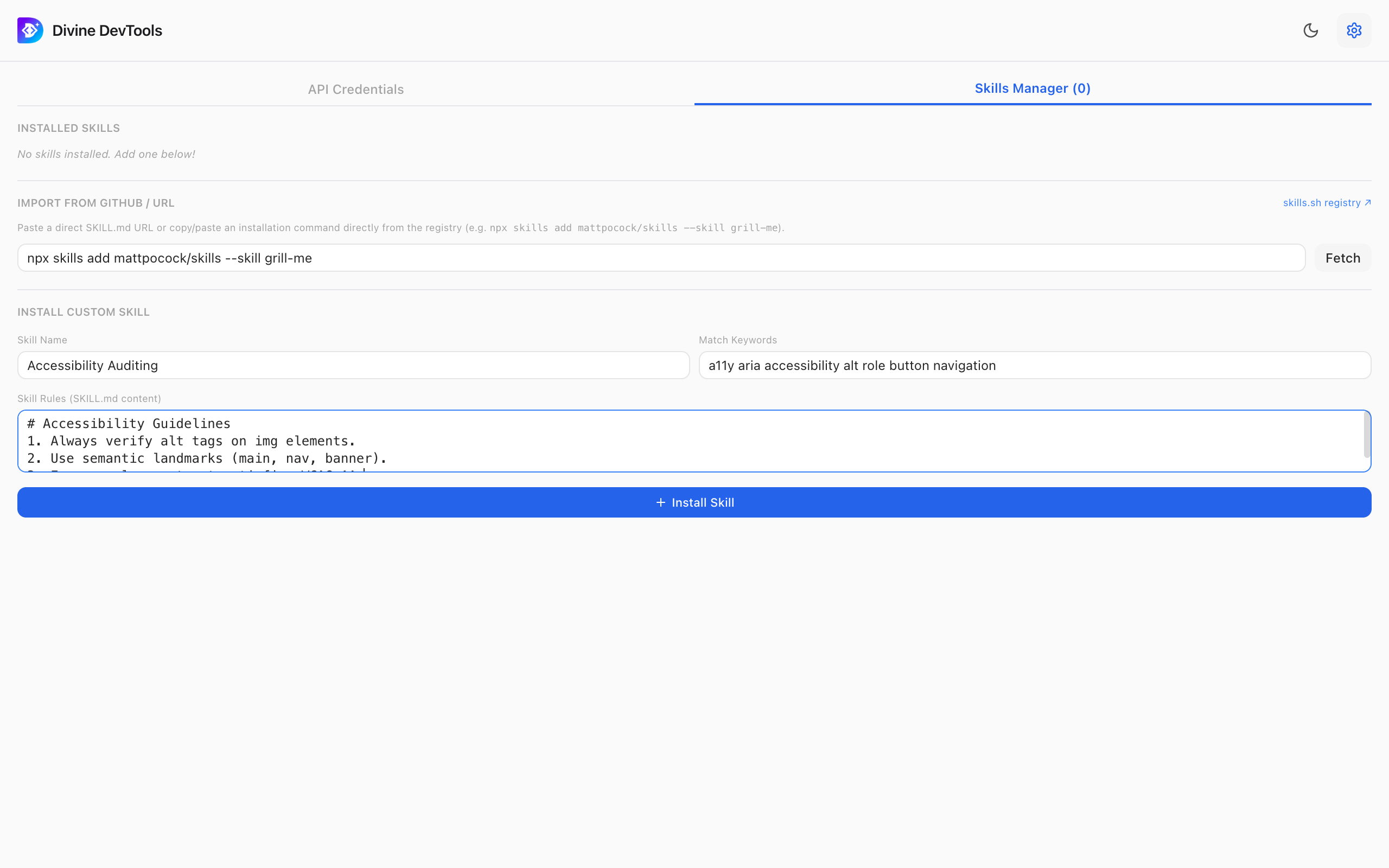
Import guidelines (`SKILL.md`) directly from repos, registries like skills.sh, or copy-paste rules. Match skills dynamically to element keywords.
Point-and-click to lock selection on any component on the page. Our high-performance highlight overlay runs inside an isolated Shadow DOM, preventing any bleed-in of styles. Instantly inspect computed CSS layouts, element HTML, and full selector hierarchies.
Define your own coding standards using standard markdown files (e.g. SKILL.md). The dev assistant tokenizes your questions and framework contexts, automatically matching and loading relevant coding styles. Override settings manually via the bottom toolbar overrides.
An AI developer assistant directly adjacent to your active tab. Refactor layouts, audits color contrast, migration CSS to Tailwind, or generates React boilerplate. Powered by standard models or custom endpoints.
Get Divine DevTools running in your Chrome browser in seconds.
Visit the approved extension listing in the Chrome Web Store and click Add to Chrome.
Open the Extensions menu (puzzle piece icon) in your browser toolbar and click the Pin icon next to Divine DevTools.
Click the Divine icon to slide open the side panel, click the Crosshair, select any DOM element, and ask AI queries!